
By Lucien Chester September 2, 2026
Switching processors stops future transactions from flowing through the old account, but it does not erase the transaction history attached to that account. A customer may dispute a purchase weeks or months after the original sale, which means the old processor, old MID, old transaction records, and old evidence can remain operationally important after cutover.
That is the central issue with chargebacks after switching processors. A payment processor migration changes where new transactions are routed. It does not necessarily move historical disputes, refunds, retrieval requests, settlement adjustments, or reserve obligations to the new provider.
The safest approach is to treat processor migration as a transition period rather than a single cutover event:
Pre-Migration Inventory → Export Legacy Records → Preserve Old Portal Access → Switch New Transactions → Continue Monitoring Old MID → Receive Dispute Notice → Retrieve Evidence → Respond Before Applicable Deadline → Process Legacy Refunds Correctly → Reconcile Debits/Credits → Retire Old Access Only When Safe
The most important principle is simple: stopping new transactions on an old merchant account does not necessarily end responsibility for transactions that were processed through it. Refunds, disputes, reversals, adjustments, reserves, and settlement activity can continue after the migration.
Visa advises merchants to respond quickly when their acquirer contacts them about a dispute, while its current merchant dispute guidance explains how dispute conditions and evidence requirements vary by case. Mastercard likewise maintains a detailed Chargeback Guide covering chargeback cycles, arbitration, reversals, and related rights and obligations.
Can Chargebacks Arrive After the Old Account Stops Processing?

Yes. A chargeback can arrive after a merchant stops taking new transactions through an old processor because the dispute belongs to a transaction that was originally processed through that old merchant relationship.
A processor cutover date and a transaction dispute date are two different events. Consider a retailer that processes an order through Processor A, ships the merchandise, and moves all new card volume to Processor B two weeks later.
If the cardholder later challenges the original purchase, the dispute does not automatically become Processor B’s responsibility simply because Processor B is now handling the retailer’s sales.
The historical transaction was submitted through Processor A’s acquiring relationship. Its identifiers, settlement records, authorization details, and dispute routing remain associated with that earlier transaction.
Visa’s dispute guidance recognizes multiple dispute conditions whose timing depends on circumstances such as transaction processing, expected merchandise or service delivery, cancellations, credits, and fraud allegations.
Merchants should consult the current Visa Dispute Management Guidelines for Merchants when determining the evidence and conditions applicable to a Visa dispute rather than relying on a generic chargeback checklist.
Mastercard’s current Chargeback Guide similarly contains separate chargeback cycles and requirements rather than one universal filing period.
That is why merchants should never build their migration plan around a statement such as, “After X days, no more disputes can arrive.” The applicable period can depend on the payment network, dispute category, transaction circumstances, processor/acquirer agreement, and other factors.
Transaction Date vs. Processor Migration Date
A migration does not reset the lifecycle of transactions that occurred before the cutover.
The timeline looks more like this:
Original Transaction Date → Fulfillment or Service Period → Processor Migration Date → Possible Later Customer Dispute → Merchant Response → Financial Resolution
Suppose a customer books an event service in January, pays through the old processor, receives the service later, and the merchant changes processors between payment and fulfillment.
A subsequent dispute may relate to the original authorization, what the customer purchased, when the service was expected, whether it was delivered, and what cancellation terms the customer accepted.
The processor migration date is operationally relevant to the merchant, but it does not replace these underlying transaction facts.
This distinction matters especially for businesses with delayed fulfillment, preorders, subscriptions, travel, custom manufacturing, future appointments, event deposits, installation work, or other situations in which customer obligations continue after payment.
Merchants should therefore map legacy transactions using both payment and business-event dates. Transaction date, expected delivery date, service date, cancellation date, refund date, and migration date may all become relevant to a later investigation.
Why the Old MID Still Matters for Chargebacks After Switching Processors
A Merchant Identification Number, or MID, identifies a merchant within a particular acquiring or processing arrangement. Large companies may have multiple MIDs for different legal entities, stores, brands, channels, or business units.
A dispute generally has to be traced back to the original payment path. That can involve the old MID, transaction ID, authorization code, settlement batch, processor reference, and—where available—network reference such as an ARN or similar identifier.
The new MID does not normally replace these historical identifiers.
That is especially important for multi-location companies. If ten stores migrate simultaneously but each previously used a different MID, finance needs to know which old account produced a later debit. Otherwise, an old processor chargeback can be incorrectly assigned to the wrong store or mixed into the new processor’s performance reporting.
A practical lookup chain is:
Customer/Order ID → Original Processor → Original MID → Transaction ID → Settlement Record → Refund Status → Dispute Status
Preserving this crosswalk substantially reduces the time required to investigate old merchant account disputes.
Understanding the Chargeback Lifecycle After a Processor Change
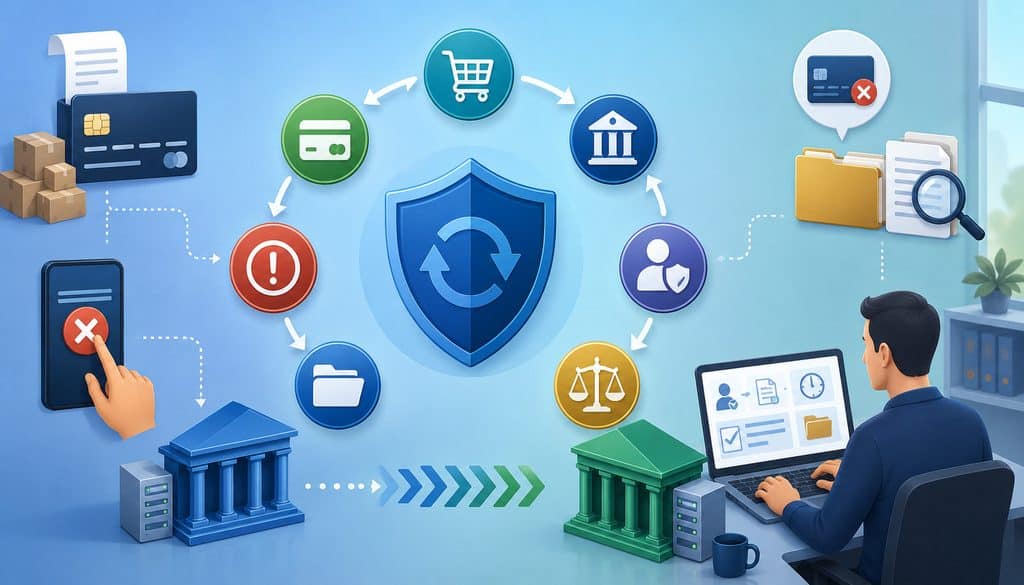
A processor migration does not create a new dispute lifecycle for an old transaction. Instead, the original acquiring chain typically continues to matter.
A conceptual flow is:
Legacy Sale → Processor Switch → Customer Dispute → Old Processor/Acquirer Receives Case → Merchant Notification → Evidence Submission → Representment or Other Applicable Response → Decision → Financial Adjustment
A chargeback or dispute is not the same thing as a merchant-issued refund. A refund is initiated through the merchant’s payment workflow. A dispute generally originates with the cardholder and issuer and proceeds through applicable network and acquiring processes.
A retrieval request or request for information, where applicable, can seek supporting transaction documentation without necessarily being identical to a chargeback.
Representment generally refers to an acquiring-side response disputing a chargeback by presenting transaction information or evidence under the applicable network process.
Further stages may include pre-arbitration or arbitration, depending on the network, circumstances, and case progression. Businesses should rely on their processor/acquirer and current network documentation for the stage applicable to a specific case.
Visa’s merchant dispute guidance describes dispute conditions, merchant responses, compelling evidence, and related processes. Mastercard’s current merchant guide separately addresses chargeback cycles, arbitration case filing, compliance cases, reversals, rights, and obligations.
New Processor vs. Old Processor Responsibilities
The simplest operational rule is:
New processor: normally manages transactions routed through the new processing relationship after cutover.
Old processor/acquirer: normally remains the point of reference for disputes, settlement records, adjustments, and related historical activity originating from transactions it processed.
Actual responsibilities depend on contracts and platform architecture. A merchant using a payment facilitator, independent gateway, enterprise orchestration layer, or specialized dispute-management service may see a different user interface, but that does not mean liability for old transactions automatically transferred to the new processor.
For example, an ecommerce company might continue using the same gateway while changing the underlying acquirer. Its customer-service team may still search transactions through the gateway, but disputes associated with the former acquiring relationship could still require submission through the old processor’s system.
This distinction should be documented before cutover.
Do Not Assume the New Processor Will Defend Old Transactions
A common migration mistake is expecting the incoming processor to “take over chargebacks.”
A new provider may assist with migration planning, record mapping, reporting, or customer-support workflows. It may even offer tools that import legacy references. That does not mean it has the authority or technical ability to represent a transaction that was originally acquired elsewhere.
The merchant should explicitly ask the new provider:
- Can your system display historical transaction references?
- Can your migration team help identify open legacy disputes?
- Can support users search both old and new order mappings?
- Does your dispute dashboard contain only transactions you processed?
- What should support staff do when a refund request belongs to the former processor?
A clear answer prevents staff from wasting valuable response time searching the wrong portal.
For additional background on merchant-account changes and why account details remain tied to the underlying business and processing arrangement, this overview of merchant account changes provides useful context.
What Must Be Exported Before Termination?
Before terminating an old processor relationship, preserve the information required to reconstruct a historical payment from sale through settlement, refund, and dispute.
This is one of the most important parts of a processor termination checklist because portal access may change after the contract ends. Some providers offer continued read-only access. Others may route merchants through a different support process. There is no universal post-termination portal policy.
At minimum, the migration team should inventory and preserve:
- Transaction reports
- Batch reports
- Settlement and funding reports
- Monthly merchant statements
- Existing dispute and chargeback history
- Refund and credit history
- Authorization records
- Transaction IDs and payment IDs
- Order or invoice IDs
- MID and location identifiers
- Masked card references
- Authorization codes
- Network/reference identifiers where available
- Receipts
- Invoices
- Shipping and fulfillment records
- Signed service documentation where appropriate
- Customer support communications
- Cancellation and return records
- Recurring-payment authorization records where applicable
The objective is not to create the largest archive possible. It is to preserve enough legitimate documentation to investigate and support a future dispute without unnecessarily storing sensitive payment data.
Legacy Data Export Table
| Record | Why It Matters | Exported? | Retention Location |
| Transaction history | Identifies original amount, date, MID, payment and transaction references | ☐ | |
| Settlement reports | Connects sales, fees, refunds and later adjustments to bank funding | ☐ | |
| Chargeback history | Preserves case IDs, reason categories and prior outcomes | ☐ | |
| Refund records | Helps prevent duplicate refunds and prove completed credits | ☐ | |
| Merchant statements | Supports historical reconciliation and fee/adjustment review | ☐ | |
| Receipts | Connects transaction details and customer-facing terms | ☐ | |
| Fulfillment evidence | Supports delivery or service-related dispute responses | ☐ | |
| Customer communications | Documents cancellations, complaints, resolutions and refund discussions | ☐ | |
| Authorization references | Helps trace the original payment | ☐ | |
| MID/location map | Assigns legacy cases to the correct entity or location | ☐ |
Processor Portal Data
Determine which records exist only inside the old processor’s portal.
A merchant may assume its ERP, POS, or ecommerce database contains everything needed because it stores the order amount and customer name. The processor, however, may hold unique transaction identifiers, authorization codes, batch IDs, ARN/network references, funding data, dispute case numbers, and evidence-submission confirmations.
Before termination, perform several real transaction searches and document where each field lives.
Also export existing dispute reports rather than merely saving PDFs of current open cases. Historical dispute records can help finance interpret future reserve movements or recurring problems with the same customer/order.
Gateway Records
A gateway and a processor are not necessarily the same entity.
The gateway generally transports or manages payment requests between a merchant’s application and payment infrastructure, while the processor/acquirer performs other parts of authorization, clearing, acquiring, and settlement.
Merchants that need a refresher on the underlying architecture can review the differences between merchant accounts and payment gateways before mapping which legacy system owns each transaction record.
If the merchant keeps the same gateway after changing processors, the gateway may preserve useful historical data such as:
- Gateway transaction IDs
- Customer/order references
- Authorization responses
- Token references
- Refund history
- API logs
- Payment-status history
But gateway history should not automatically be treated as a complete substitute for the old processor’s dispute and settlement records.
The migration data map should state which system is authoritative for each type of information.
POS, Ecommerce, and Operational Records
For card-present businesses, useful records may include:
- Order or check number
- Transaction timestamp
- Location
- Terminal/device reference
- Employee identifier
- Items purchased
- Tax
- Tip data where relevant
- Void and return history
- Receipt
- EMV transaction indicators made available through the system
For ecommerce businesses, relevant merchant dispute records may include:
- Order confirmation
- Product description
- Shipping address
- Carrier tracking
- Delivery confirmation
- Account-login records
- Digital access or usage records
- Customer communications
- Terms accepted at checkout
- Cancellation history
- Device or IP information legitimately collected and retained under the merchant’s security and privacy policies
Square’s current dispute documentation guidance illustrates why evidence should be tied to the actual allegation. Depending on the case, evidence can include contracts, invoices, correspondence, delivery documentation, terms of service, service completion, refund policies, and customer acknowledgments.
Receipts, Shipping, and Customer Communications
Readable receipt copies are important because a database row alone may not show what the customer actually saw.
Where relevant, preserve:
- Transaction date and amount
- Merchant identity
- Order details
- Customer-facing return/cancellation terms
- Authorization or transaction reference
- Fulfillment relationship
For shipped goods, preserve carrier tracking and delivery records. For pickup, maintain pickup confirmation where the business legitimately uses it. For services, maintain invoices, work orders, appointment records, completion acknowledgments, or other evidence appropriate to the transaction.
Customer communications can also be critical. A cancellation request, refund promise, support resolution, shipping delay notification, or order modification may explain the dispute better than a receipt alone.
Do not manufacture evidence later. Never alter timestamps, reconstruct signatures and present them as originals, edit customer conversations, or create a backdated receipt.
Preserve Chargeback Evidence Without Creating a PCI Problem

Processor migration is not a justification for collecting every piece of payment data available.
PCI DSS applies to organizations that store, process, or transmit cardholder data, and its requirements include strong restrictions on sensitive authentication data.
PCI SSC specifically states that card verification values such as CVV2/CVC2/CID cannot be stored after authorization, even if encrypted. Sensitive authentication data restrictions also include full track data and PIN/PIN-block information.
Do not build a migration archive containing:
- CVV/CVC/CID
- PIN or PIN block
- Full magnetic-stripe track data
- Chip-equivalent sensitive authentication data
- Unnecessary full PAN data
Most chargeback evidence-management workflows can be built around transaction IDs, order IDs, masked card references, authorization codes, gateway references, customer records, and supporting fulfillment documentation.
PCI DSS and Record Retention
PCI DSS does not prescribe one universal minimum or maximum period for storing cardholder data. Instead, PCI SSC states that organizations should limit storage to what is necessary for legal, regulatory, or business purposes and securely delete data when it is no longer needed.
This aligns well with processor migration planning.
A merchant should create a documented chargeback records retention policy that answers:
- What evidence is needed?
- Why is each record required?
- Which system stores it?
- Who can access it?
- How long does the legitimate need remain?
- What deletion or archival event applies afterward?
The safest repository is not necessarily the biggest repository.
How Long Should Old Processor Access Be Retained?
There is no universal period for keeping an old processor portal active.
Legacy account access should remain available for as long as historical transactions can still generate legitimate operational requirements such as disputes, refunds, settlement adjustments, reconciliation, reserve activity, financial reporting, or support requests, subject to provider contracts and current network rules.
That does not mean every user needs full administrative access indefinitely. It means merchants should avoid terminating their only usable route to historical transactions before they understand what happens next.
The risk-based decision should consider:
- Types of transactions processed
- Delivery and fulfillment cycles
- Card-network dispute rights
- Processor/acquirer response requirements
- Existing open disputes
- Refund obligations
- Recurring billing history
- Unsettled adjustments
- Reserve arrangements
- Accounting close requirements
- Contractual record requirements
- Applicable legal, tax, or audit requirements
- Security and privacy retention policies
Network rules themselves contain different timeframes depending on dispute category and circumstances. That is another reason a single fixed portal-retention number is inappropriate.
Portal Access and Data Retention Are Different
Keeping the old login alive and exporting historical records solve different problems.
Portal access allows live searching, status checks, dispute responses, statements, and potentially refunds.
Data retention protects the business when the portal eventually disappears.
A robust migration plan uses both approaches where possible.
Do not assume that a complete export means portal access is unnecessary. A later dispute could require a provider-generated case form, portal submission, or transaction status that was not part of the original export.
Likewise, do not assume portal access eliminates the need to export. The processor can change access terms, remove old reports, or eventually disable the environment.
What If Portal Access Ends Immediately?
Resolve this before sending a termination notice.
Ask the old processor:
- Will we retain login access?
- Is read-only legacy access available?
- How will new disputes be delivered?
- Where do we submit representment?
- Will transaction search remain available?
- Can historical reports be exported?
- How will statements be provided?
- Can support retrieve archived records?
- What is the process for issuing legacy refunds?
- Who handles post-termination escalation?
If the processor says the portal will be disabled, obtain the alternate operational process in writing.
Legacy Access Checklist
| Capability | Needed After Cutover? | Confirmed? |
| Historical transaction search | Yes | ☐ |
| Dispute/chargeback portal | Usually | ☐ |
| Evidence submission | Usually | ☐ |
| Settlement reports | Yes | ☐ |
| Merchant statements | Yes | ☐ |
| Refund capability | Provider dependent | ☐ |
| Reserve reporting | If applicable | ☐ |
| Support/escalation access | Yes | ☐ |
| Notification management | Yes | ☐ |
Who Receives Dispute Notices After the Switch?
The merchant must confirm which email addresses, portal users, APIs or webhooks, secure-message channels, mailing addresses, and processor contacts will continue receiving dispute notifications for the old MID.
Do not assume dispute notifications automatically follow the merchant to its new processor.
The original processor may continue sending notifications to an address entered years earlier. If that address belongs to a former controller, store manager, developer, or outsourced consultant, the business can miss a critical case without realizing anything is wrong.
Before migration, audit every notification channel associated with the legacy merchant account.
Update Contact Information Before Termination
Confirm that the old processor has current information for:
- Finance department
- Payments team
- Chargeback/disputes team
- Shared operations inbox
- Mailing address
- Business phone
- Authorized account users
- Technical webhook/API endpoint where applicable
A role-based mailbox such as a finance or disputes queue is generally more resilient than one employee’s personal inbox.
The workflow should be:
Old Processor Notice → Central Dispute Inbox/Ticket → Assigned Owner → Due Date Logged → Evidence Collected → Response Submitted → Submission Confirmed → Outcome Reconciled
Stripe, for example, exposes an evidence submission due date within its dispute object, while Square shows merchants the exact deadline for a specific dispute in its dashboard. These provider examples illustrate why merchants should use the due date attached to the actual case rather than relying on a general network timeframe.
Dispute Notification Matrix
| Source | Notification Channel | Owner | Backup Owner |
| Old processor | Portal/email/other confirmed channel | Dispute team | Finance |
| Old gateway | API/email if applicable | Payments | IT |
| New processor | Portal/email/API | Payments | Finance |
| Customer support | Ticket escalation | Support lead | Dispute team |
| Accounting | Reconciliation exception | Controller | Payments |
Chargeback Deadlines After a Processor Migration
There is no single universal chargeback deadline after processor migration.
The migration itself normally does not create the deadline. Deadlines arise from the underlying network process, dispute category, case stage, and the operational deadline imposed by the processor/acquirer handling the transaction.
Merchants should track at least:
- Dispute case ID
- Original transaction date
- Notice date
- Applicable dispute stage
- Processor/acquirer merchant due date
- Internal review deadline
- Evidence submission date
- Submission confirmation
- Outcome date
The operational rule is straightforward: use the due date communicated for the specific case.
Processor Deadline vs. Network Deadline
A processor may require evidence earlier than the broadest deadline available elsewhere in the network process.
That is not necessarily a contradiction. The processor or acquirer needs time to validate documentation, format it correctly, and transmit it through the applicable channel.
Visa explicitly recommends a swift response when an acquirer contacts the merchant about a dispute. Square provides a concrete provider example: its current guidance gives sellers a seven-day window for submitting dispute information in applicable Square card disputes. That is a Square workflow requirement, not a universal merchant chargeback deadline.
Mastercard’s merchant guide contains different chargeback-cycle requirements based on the type and stage of the case, reinforcing why merchants should not reduce dispute management to one generic number.
Never wait until a network maximum found in a general document if the processor handling the case has given an earlier merchant response deadline.
Centralized Deadline Tracking
A multi-location business should not allow each store to manage its own legacy disputes independently without central oversight.
Store employees can help retrieve receipts, signed documents, delivery details, or customer conversations. Deadline ownership should remain with a central function capable of monitoring all old and new MIDs.
A useful dispute calendar looks like this:
| Case ID | Processor | MID | Notice Date | Merchant Due Date | Owner | Status |
| Old | ||||||
| Old | ||||||
| New |
The internal deadline should normally precede the processor deadline sufficiently for review. The specific buffer should be set by the business based on its operational workflow rather than treated as a network rule.
Building the Right Evidence Package
The best evidence package responds directly to the dispute reason.
More documents are not automatically better.
A 75-page upload containing unrelated invoices, screenshots, and policies can make it harder to demonstrate the one fact that matters. The objective is to give the processor/acquirer useful, verifiable evidence that clearly connects to the disputed transaction.
Useful evidence may include:
- Transaction details
- Customer-facing receipt
- Invoice
- Shipping documentation
- Delivery confirmation
- Service completion
- Terms acknowledged by the customer
- Refund/cancellation policy
- Customer communications
- Recurring-payment authorization
- Subscription cancellation history
- Digital access or usage evidence
- Proof that an earlier refund was completed
Current Square guidance, for example, requires evidence to be clearly linked to the disputed transaction and provides different documentation recommendations for unauthorized, duplicate, credit-not-processed, canceled, and merchandise/service disputes.
Match Evidence to the Actual Dispute Reason
A fraud allegation requires a different response from a merchandise-not-received claim.
At a high level, disputes can involve areas such as:
- Fraud or unauthorized use
- Merchandise/service issues
- Processing errors
- Duplicate transactions
- Credit or refund issues
- Cancellation
- Authorization-related issues
Do not create one “standard chargeback packet” and send it unchanged for every case.
For an ecommerce delivery dispute, order and carrier records may be highly relevant. For a professional service, a signed work order and completion record may be stronger. For recurring billing, the customer agreement, billing terms, and cancellation history may matter.
For card-present transactions, relevant system-provided EMV transaction data, receipt information, date, location, and device/terminal records may be useful depending on the dispute condition.
Never Alter Evidence
Do not:
- Fabricate receipts
- Change transaction timestamps
- Backdate contracts
- Create a signature after the dispute
- Edit customer communications
- Reconstruct documentation and label it as the original
- Misrepresent a store log or access log
A merchant should submit records that actually existed or legitimately document what happened.
Accurate evidence management is both a dispute-control issue and a credibility issue.
What Happens to Refunds on Old Transactions?
A transaction processed through the old processor may need to be refunded through that old processing relationship or another provider-supported legacy-refund workflow.
The new processor generally cannot simply refund a transaction it never processed because it does not own the original transaction record inside its acquiring relationship.
Provider architectures can vary, so merchants should confirm the supported procedure rather than creating their own workaround.
A safe workflow is:
Customer Requests Refund → Locate Original Legacy Transaction → Confirm Current Transaction/Dispute Status → Use Processor-Supported Legacy Refund Method → Record Refund ID → Reconcile Refund
Why the New Processor Usually Cannot Refund the Old Sale
The historical payment is associated with the original:
- MID
- Acquiring relationship
- Processor
- Transaction ID
- Authorization
- Settlement record
The incoming processor normally has no native transaction object against which to initiate a linked refund.
Creating an unrelated credit or new payment movement through the new processor can break transaction traceability and complicate accounting, reconciliation, and potentially applicable payment-network requirements.
Use the approved refund process provided by the processor/acquirer that handled the original transaction or whatever alternate workflow that provider explicitly supports.
Preserve Legacy Refund Access
Before merchant account closure, ask:
- Can refunds still be initiated after we stop taking sales?
- Are partial refunds supported?
- How will refund requests work after portal access changes?
- Is there a separate post-termination support procedure?
- Which transaction identifier is required?
- What happens if the historical settlement account changes?
- How will failed refund attempts be reported?
Do not assume a particular refund capability or universal refund window.
The answer depends on the provider, payment method, agreement, and transaction status.
Refund vs. Chargeback
A refund and a chargeback are separate financial processes.
A refund is ordinarily initiated by the merchant using its payment system.
A chargeback/dispute originates through the customer’s issuing/dispute process.
A reversal generally reverses or releases an earlier payment-state event and should not automatically be used as a synonym for refund.
An adjustment is a broader accounting or settlement entry and may have different causes.
These distinctions become especially important during migration because a customer-service representative may see “money returned” and incorrectly assume every process is interchangeable.
Refund After a Dispute Is Already Open
Do not automatically issue a refund just because a customer calls after filing a dispute.
First determine:
- Is a dispute already open?
- Has the disputed amount already been debited?
- Has a provisional credit or other adjustment occurred?
- Has a refund already been issued?
- What does the old processor instruct the merchant to do?
The goal is to avoid duplicate remediation.
One processor operating guide available publicly through Host Merchant Services provides a concrete example for Discover transactions: once a chargeback has been received, its stated process warns the merchant not to process a separate credit because the cardholder’s account will be credited through the chargeback process unless it is reversed.
This is provider/network-specific guidance, but it demonstrates why case status should be checked before issuing a second payment adjustment.
Should the Old Settlement Bank Account Stay Open?
Do not close the old settlement account automatically on processor cutover day.
Depending on the processing agreement and remaining activity, the legacy relationship may still produce:
- Chargeback debits
- Refund funding
- Processing fees
- Reserve releases
- Reserve deductions
- Settlement corrections
- ACH debits or credits
- Invoices
- Other adjustments
Whether the bank account must remain open—and for how long—depends on the processor contract, outstanding activity, reserve arrangements, banking policy, and treasury requirements.
Coordinate the decision among finance, treasury, the processor/acquirer, and the bank.
Reserves, Holds, and Negative Balances
Termination does not necessarily cause every withheld amount to be released immediately.
Processors/acquirers may maintain contractual reserves or other risk protections after termination based on the agreement and continuing exposure. Businesses should obtain written information describing:
- Existing reserve balance
- How reserve movements are reported
- What obligations can be offset against it
- How any eventual release will occur
- Which bank account will receive funds
- Who handles questions after termination
Likewise, late refunds or disputes can produce a negative merchant balance.
Depending on the relationship, that balance might be handled through a settlement-account debit, reserve offset, ACH collection, invoice, or another contractual process.
Do not invent reserve percentages or release dates. Use the merchant agreement and written processor guidance.
Reconciliation After Migration
During the transition, complete payment reconciliation requires both processors.
Old Processor Activity + New Processor Activity = Complete Payment Picture During Transition
If accounting starts looking only at the new processor on cutover day, later chargebacks, refunds, reserve movements, and fees from the legacy account can appear as unexplained bank transactions.
Finance should therefore continue maintaining an old-processor reconciliation stream.
Finance teams that need more context on deposits, adjustments, refunds, and chargebacks can also review this guide to how to read a merchant statement, because legacy statements often provide the missing connection between processor activity and bank-account movements.
Separate Old and New MIDs
Track at least:
- Processor
- MID
- Legal entity
- Location
- Transaction date
- Activity date
- Activity type
- Original transaction ID
- Dispute/refund case ID
- Amount
- Settlement or bank reference
- Reconciliation status
A reconciliation table can look like this:
| Date | Processor | MID | Activity Type | Amount | Case/Transaction ID | Reconciled? |
| Old | Chargeback | ☐ | ||||
| Old | Refund | ☐ | ||||
| Old | Reserve adjustment | ☐ | ||||
| New | Sale | ☐ |
Do not mix old processor chargebacks into new processor sales reporting merely because the financial activity occurred after cutover.
Legacy Processor Clearing Account
Some finance teams find it useful to maintain a dedicated accounting clearing mechanism for legacy payment activity.
That can help separate:
- Late chargebacks
- Legacy refunds
- Reserve movements
- Processor fees
- Settlement adjustments
- Other termination-related transactions
The exact chart-of-accounts treatment should follow the merchant’s accounting policy and qualified accounting guidance.
The operational purpose is traceability: a bank debit from the old processor should be explainable without contaminating reporting for the new payment environment.
Multi-Location and Franchise Environments
For a multi-location merchant, preserve:
Legal Entity → Location → Old MID → Transaction → Dispute
This becomes even more important when independently owned franchisees or separate entities participate in a common technology or reporting platform.
Corporate reporting access does not automatically mean corporate owns the merchant account or bears financial responsibility for it. Responsibility should follow the actual merchant agreement, acquiring relationship, legal entity, and MID.
What Responsibilities Belong in the Migration Plan?
The migration plan should explicitly assign ownership for every legacy dispute-management task.
At minimum, document responsibility for:
- Legacy transaction exports
- Merchant statement exports
- Old portal access
- Dispute notification monitoring
- Deadline tracking
- Evidence collection
- Evidence review
- Representment submission
- Legacy refunds
- Settlement-bank management
- Reserve monitoring
- Negative-balance handling
- Reconciliation
- Processor escalation
- Access security
- Final decommission approval
Without ownership, processor migration chargebacks become “someone else’s old system” once the project team moves on.
Migration Responsibility Matrix
| Task | Finance | Payments Team | Customer Support | IT | Old Processor | New Processor |
| Export legacy financial records | A/R | C | I | C | C | I |
| Monitor old disputes | C | A/R | I | C | C | I |
| Collect customer/order evidence | C | A | R | C | I | I |
| Submit dispute response | I | A/R | C | C | C | I |
| Process legacy refunds | C | A/R | R | C | C | I |
| Reconcile adjustments | A/R | C | I | I | C | I |
| Maintain secure portal access | C | A | I | R | C | I |
| Approve final decommission | A | R | C | R | C | I |
A = Accountable, R = Responsible, C = Consulted, I = Informed. Adapt the matrix to the actual organization and provider agreements.
Define a Legacy Dispute Owner
Name one role—not just a department—that remains accountable after the migration project closes.
For example, the payments operations manager may own the old dispute queue while finance owns financial reconciliation and customer support supplies case evidence.
The owner should know:
- Every old MID
- Where notices arrive
- How to search transactions
- How to submit evidence
- Who approves concessions
- How refunds are processed
- Who to contact for processor escalation
- When a case is considered reconciled and closed
This person or function becomes the continuity point after implementation consultants and migration managers leave the project.
Migration Cutover and Post-Cutover Checklists
A clean payment processor migration separates “go-live readiness” from “legacy retirement.”
Before Cutover
Confirm:
- ☐ Historical transactions exported
- ☐ Settlement reports exported
- ☐ Statements archived
- ☐ Existing dispute history exported
- ☐ Open cases documented
- ☐ Old portal users reviewed
- ☐ Role-based notification contacts updated
- ☐ Evidence repository active
- ☐ Refund workflow confirmed
- ☐ Chargeback submission workflow confirmed
- ☐ Processor merchant-response deadlines understood
- ☐ Settlement-bank handling confirmed
- ☐ Reserve handling documented
- ☐ Post-termination support contacts recorded
- ☐ MID/location mapping completed
- ☐ API/webhook dependencies inventoried
After Cutover
Continue to:
- Monitor old dispute channels
- Review old processor statements
- Reconcile old-account adjustments
- Process legacy refunds correctly
- Maintain the historical evidence repository
- Monitor reserve and negative-balance activity
- Remove departed users
- Review remaining technical integrations
- Track open cases to financial closure
- Reassess decommission readiness periodically
Keep Old Access Secure
Keeping legacy access does not mean leaving abandoned administrator accounts active.
Apply normal security controls to the old environment:
- Named accounts
- MFA where available
- Least privilege
- Periodic user reviews
- Prompt employee offboarding
- Audit logs
- Controlled credential storage
- Restricted APIs
- Monitoring of remaining integrations
Remove personal accounts belonging to former employees while ensuring current authorized staff can still perform required legacy functions.
Avoid shared passwords. Shared credentials make it difficult to determine who searched, exported, refunded, or responded to a dispute.
Legacy APIs and Webhooks
An old integration may still be valuable if it delivers dispute notifications or historical reporting.
If retained:
- Limit permissions to what is still required
- Remove unnecessary payment-creation capabilities where technically possible
- Rotate credentials when appropriate
- Monitor delivery failures
- Document dependencies
- Set a planned retirement condition
Do not leave an entire legacy production integration running merely because one webhook is still useful.
Stored Credentials and Recurring Billing
Card-on-file migration is related to—but separate from—legacy dispute management.
A merchant may successfully move customer credentials or tokens to a new payment environment while old disputes remain tied to transactions processed under the original relationship.
Preserve mappings such as:
- Customer ID
- Order/subscription ID
- Old transaction ID
- Old token reference where legitimate and needed
- New customer/token reference
Do not store prohibited sensitive authentication data simply to maintain the crosswalk.
Customer Support Must Search Both Payment Environments
During transition, customer support should be able to identify where a payment originated before promising a refund or escalating a dispute.
A simple lookup workflow is:
Order ID → Payment Date → Original Processor → MID → Transaction ID → Refund Status → Dispute Status
This prevents a support agent from searching only the new processor, finding no transaction, and mistakenly concluding that the customer was never charged.
Prevent Duplicate Refunds
Before issuing any historical refund, verify:
- Was a refund already issued?
- Is the refund still pending?
- Has a dispute already been opened?
- Has the chargeback already been debited?
- Did the processor initiate another credit?
- Was another support representative involved?
Maintain a cross-system transaction map.
| Order ID | Processor | MID | Transaction ID | Refund Status | Dispute Status |
| Old | |||||
| New |
Square’s current guidance for credit-not-processed disputes specifically notes the value of records showing when and how a refund was processed. That illustrates why refund records should be retained together with the original payment record.
What to Ask the Old Processor Before Termination
The termination conversation should be operational, not merely contractual.
Ask:
- How will chargebacks be delivered after we stop processing new sales?
- How long will our existing portal access remain available?
- Can we retain read-only historical access?
- Will transaction search remain available?
- Can we export our complete dispute history?
- How do we submit representment after termination?
- Which merchant-response deadline should we follow for each case?
- Can legacy refunds still be issued?
- How are partial refunds handled?
- What happens after refund access ends?
- Which bank account will future debits or credits use?
- How are outstanding reserves handled?
- How are negative balances collected?
- How will statements be delivered after termination?
- What support team handles former merchants?
- Who is the escalation contact?
- Which old APIs or webhooks can remain active?
- How will we obtain documentation if portal access ends?
Document the answers.
A provider’s public operating guide or contract can also contain relevant requirements. For example, one publicly available merchant operating guide states that chargebacks may debit the settlement account and that merchants must respond within the timeframe specified in the notification for applicable cases. This is a useful reminder that the governing merchant agreement and actual case notice matter.
What to Ask the New Processor
The new provider does not automatically inherit historical disputes, but it can still support a cleaner transition.
Ask:
- Will your migration team identify open legacy disputes?
- Which historical records do you recommend importing?
- Can reports store the old MID and transaction reference?
- Can your system map old and new customer/order identifiers?
- Can customer support tell which processor handled an order?
- How should staff handle refund requests for transactions processed elsewhere?
- Does your reporting distinguish imported historical data from native transactions?
Clear labeling matters. Imported records should not create the false impression that the new processor acquired or settled those transactions.
What Finance, Support, and IT Should Document
Each function needs a different part of the runbook.
Finance
Finance should document:
- Old MID list
- New MID list
- Legal entity/location mapping
- Legacy settlement bank account
- Open chargebacks
- Outstanding refunds
- Reserves
- Expected reserve releases where contractually documented
- Open adjustments
- Old statements
- Settlement reports
- Reconciliation owner
- Final account-close approval
Customer Support
Support should know:
- How to locate old orders
- How to determine the original processor
- Where refund requests should go
- When a dispute already exists
- Where evidence should be sent internally
- What to tell customers about pending refunds
- Who handles payment escalations
Support staff should never be forced to guess whether a transaction is “old” or “new.”
IT
IT should preserve:
- Required portal access
- Reporting exports
- Secure archives
- Relevant API/webhook integrations
- Audit logs
- Historical identifier mappings
- Identity/access controls
- Documentation needed for transaction lookup
Passwords, API secrets, and credentials should not be stored in ordinary shared runbooks.
Processor Migration Chargeback Decision Framework
When a dispute arrives, determine which payment environment owns the underlying transaction before doing anything else.
Is the disputed sale from the old processor?
Yes → Locate old MID and transaction → Record case deadline → Check refund/dispute status → Retrieve reason-specific evidence → Submit through the old provider’s approved channel → Save confirmation → Reconcile outcome.
No → Confirm it belongs to the new processor → Use the new provider’s dispute workflow.
If the system cannot determine the processor from the order alone, use the transaction mapping table or settlement history.
That simple routing rule prevents many migration errors.
When Is It Safe to Fully Decommission the Old Processor?
“Processor cutover completed” should never automatically mean “delete the legacy environment.”
Final retirement should occur only after the business has reviewed whether old access still serves a legitimate operational, contractual, accounting, compliance, refund, or dispute purpose.
Possible decommission criteria include:
- Required historical transaction records are securely archived
- Dispute history has been preserved
- Applicable legacy dispute exposure has been reviewed using current rules and processor guidance
- Open disputes have owners and supported response paths
- Legacy refund capability is no longer needed or an approved alternative exists
- Reserves and outstanding adjustments have been addressed
- Finance has reconciled remaining legacy activity
- Settlement-bank requirements have been resolved
- Support agrees old transaction lookup is no longer operationally required
- Contractual retention requirements are met
- Legal/accounting retention requirements have been reviewed
- Required APIs/webhooks can be retired
- Security approves access termination
- Data no longer needed is disposed of under the retention policy
Do not turn this into a fixed “90-day” or “120-day” rule unless a specific contract, provider process, or applicable requirement actually establishes that timing.
A useful planning concept is:
T-60/T-30 Planning → Cutover → Legacy Monitoring → Gradual Capability Reduction → Controlled Decommission
Those planning markers are illustrative project milestones, not card-network deadlines.
Chargeback Case Log and Audit Trail
Every legacy dispute should produce a traceable audit trail.
Record:
- Case received
- Original transaction identified
- MID confirmed
- Owner assigned
- Due date documented
- Evidence collected
- Response approved
- Evidence submitted
- Processor confirmation saved
- Decision received
- Financial adjustment recorded
- Reconciliation completed
A case log can look like this:
| Case ID | Processor | MID | Transaction Date | Reason/Category | Due Date | Owner | Status |
| Old | |||||||
| Old | |||||||
| New |
The audit trail matters even when a case is lost. Finance still needs to explain the debit and management may need to understand whether the loss resulted from missing evidence, missed deadlines, transaction practices, or an unwinnable dispute.
Record Retention After Payment Processor Migration
There is no single universal retention period for all merchant dispute records.
Retention depends on overlapping requirements, including:
- Network rules
- Processor/acquirer contracts
- Transaction type
- Dispute exposure
- Refund obligations
- Accounting practices
- Tax and audit requirements
- Business-specific regulatory requirements
- Litigation or legal-hold requirements
- Privacy obligations
- Data-minimization policies
PCI SSC makes a useful distinction: PCI DSS does not itself prescribe one maximum cardholder-data retention period, but it requires entities to limit storage to what is necessary and securely dispose of information when it is no longer required. (PCI Security Standards Council)
Retain What You Need, Not Everything Forever
Create a retention schedule by record category.
For example, a business might separately classify:
- Processor statements
- Transaction reports
- Customer invoices
- Dispute evidence
- Signed contracts
- Shipping records
- Support conversations
- Payment identifiers
Each category should have an owner, legitimate purpose, security classification, retention trigger, and disposal method.
That is safer than copying the entire old payment platform into a permanent archive.
Common Mistakes After Switching Payment Processors
Several failures appear repeatedly in dispute management transitions.
The first is assuming the old merchant account no longer matters after the last batch settles. It can still matter for disputes, refunds, settlement adjustments, reserves, and reporting.
Other common mistakes include:
- Disabling every old portal account on cutover day
- Failing to export transaction history
- Failing to export merchant statements
- Losing chargeback history
- Leaving notification contacts attached to former employees
- Missing processor deadlines
- Assuming the new processor handles legacy disputes
- Closing the old settlement bank account too early
- Losing legacy refund capability
- Creating unrelated credits through the new processor
- Refunding after a chargeback without checking case status
- Mixing legacy chargebacks into new sales reporting
- Losing fulfillment or shipping evidence
- Relying on one employee’s portal login
- Keeping CVV or other prohibited authentication data
- Leaving unnecessary legacy administrative privileges active
- Failing to assign a post-migration dispute owner
Preventing these failures is mostly an issue of documentation and ownership rather than technology.
Old-Account Decommission Checklist
| Requirement | Completed? |
| Legacy transactions exported | ☐ |
| Merchant statements saved | ☐ |
| Settlement reports preserved | ☐ |
| Dispute history saved | ☐ |
| Refund process documented | ☐ |
| Portal access confirmed | ☐ |
| Evidence submission route confirmed | ☐ |
| Notification contacts updated | ☐ |
| Old settlement-bank handling confirmed | ☐ |
| Reserve status confirmed | ☐ |
| Negative-balance process understood | ☐ |
| Evidence repository active | ☐ |
| Dispute owner assigned | ☐ |
| Finance reconciliation process active | ☐ |
| Support contacts retained | ☐ |
| API/webhook dependencies reviewed | ☐ |
| PCI/security review completed | ☐ |
| Final decommission criteria approved | ☐ |
Frequently Asked Questions
Can chargebacks arrive after I switch payment processors?
Yes. Chargebacks after switching processors can occur because the disputed payment was processed before the migration through the former acquiring relationship. The cutover date does not erase the original transaction or automatically transfer its dispute lifecycle to the new provider.
Keep monitoring the old MID, preserve transaction and evidence records, and confirm how the former processor will deliver dispute notices and accept responses.
Does closing a merchant account stop future chargebacks?
Not necessarily.
Closing or terminating the account normally stops new processing, but historical transactions can still generate disputes, refunds, adjustments, fees, reserve movements, or other contractual activity. The exact handling depends on the processor/acquirer agreement, card-network rules, transaction circumstances, and account status.
Do not treat merchant account closure as the end of all financial exposure.
Which processor handles a chargeback on an old transaction?
Usually, the dispute remains associated with the processor/acquirer and MID that handled the original transaction.
The merchant should locate the historical transaction, identify the original MID, and use the dispute process provided by that legacy provider unless the merchant has received verified instructions establishing another workflow.
Does the new processor handle disputes from the old processor?
Normally, no.
The new processor generally manages transactions it processes through the new relationship. It may help with data migration or reporting, but merchants should not assume it can submit representment or manage chargebacks for transactions acquired by the former provider.
Confirm responsibilities with both providers before migration.
What records should be exported before switching processors?
Preserve transaction history, batch and settlement reports, merchant statements, dispute history, refund records, authorization references, transaction IDs, receipts, invoices, fulfillment evidence, customer communications, cancellation records, and relevant recurring-payment documentation.
Also export MID/location mapping and processor-specific transaction references. Do not export prohibited sensitive authentication data such as CVV, PIN data, or full track data.
How long should I keep access to my old processor portal?
There is no universal portal-access period.
Keep a usable legacy access path for as long as historical transactions can generate legitimate operational needs such as disputes, refunds, reconciliation, reserves, adjustments, or reporting, subject to provider terms and applicable requirements. Export records as well, because portal availability should not be treated as permanent storage.
How will I receive chargeback notices after termination?
That depends on the provider.
Notifications may come through a portal, email, API/webhook, secure message center, postal mail, or another provider-supported channel. Before terminating the account, verify every notification path and update obsolete contact information.
Do not assume the new processor will receive notices for the old MID.
Can I still refund transactions processed by my old processor?
Possibly, but the process is provider-specific.
Some processing relationships retain legacy refund capabilities while others require support-assisted or alternative workflows after termination. Confirm the process before closing the account. Always locate the original transaction and check its dispute/refund status before issuing a credit.
Can the new processor refund an old transaction?
Generally, a new processor cannot simply initiate a normal linked refund against a transaction it never processed.
The historical sale belongs to the old transaction and acquiring record. Use the former provider’s supported legacy-refund process or another method it explicitly authorizes. Avoid creating an unrelated credit through the new processor without reviewing the applicable process.
Should I keep my old settlement bank account open?
Do not close it automatically.
The old processor may still need to post chargebacks, refunds, fees, reserve movements, or other adjustments depending on the merchant agreement. Ask the processor how future debits and credits will be handled, then coordinate the decision with finance, treasury, and the bank. There is no universal number of days that applies to every merchant.
What happens to reserves after a merchant account closes?
Reserve treatment depends on the processing agreement and risk circumstances.
An acquirer or processor may continue holding contractual reserves or use them against permitted obligations after termination. Ask for written information about the remaining balance, reporting, allowable deductions, release process, and destination account. Do not assume termination automatically releases the reserve.
How should old and new processor chargebacks be reconciled?
Keep them separate by processor, MID, legal entity/location, transaction date, and case ID.
Finance should reconcile old processor disputes and refunds against legacy settlement reports or clearing activity instead of mixing them into the new processor’s sales results.
Together, the two processing environments provide the complete migration-period payment picture.
How long should chargeback evidence be retained?
There is no universal period applicable to every record.
The business should consider network requirements, processor contracts, legal/accounting obligations, business type, tax or audit requirements, privacy obligations, and internal data-minimization policies.
PCI SSC advises retaining cardholder data only as long as necessary for legitimate purposes and securely deleting it when no longer required.
What should a processor migration plan say about disputes?
It should name owners for legacy data exports, portal access, notifications, deadlines, evidence collection, representment, old refunds, reserve monitoring, settlement-bank management, reconciliation, escalation, security, and final decommission.
A RACI matrix is helpful because migration projects often involve finance, payments, support, IT, and both processors.
When is it safe to fully decommission an old processor account?
Decommission only after required records are preserved, open dispute processes remain supported, legacy refunds are resolved or have an approved alternative, reserves and adjustments have been reviewed, reconciliation is complete, security and compliance requirements are satisfied, and business owners agree that access is no longer needed.
Use verified provider, network, contractual, legal, and accounting requirements rather than an arbitrary calendar date.
Conclusion
A processor migration is complete from a checkout perspective when new transactions reliably flow through the new provider. It is not necessarily complete from a dispute, refund, settlement, reconciliation, or records perspective.
The safest way to manage chargebacks after switching processors is to preserve the chain connecting every historical sale to its original processor, MID, transaction ID, settlement record, customer/order information, refund status, and dispute evidence.
Before terminating the former relationship, export the data that would be difficult to reconstruct later. Confirm old processor dispute access, update notification contacts, document the legacy refund process, understand how remaining debits and credits will reach the business, and assign a permanent owner for processor migration chargebacks.
After cutover, keep old and new payment activity separate in accounting, monitor the old MID, track the actual processor deadline for every dispute, submit evidence that directly addresses the stated dispute reason, and check case status before issuing a refund.
Most importantly, retire legacy access based on verified operational and contractual readiness—not simply because new sales have moved elsewhere.
Operational disclaimer: Card-network rules, processor/acquirer deadlines, refund capabilities, merchant agreements, reserve arrangements, portal-access policies, and legal or accounting retention obligations can differ and can change.
Merchants should verify the current requirements for each transaction and dispute with the processor/acquirer handling the case and consult qualified legal, accounting, compliance, or payment professionals when appropriate.